> ## Documentation Index
> Fetch the complete documentation index at: https://docs.zbdpay.com/llms.txt
> Use this file to discover all available pages before exploring further.
# Sandbox Projects
> Test your integration risk-free with fake Bitcoin in a sandbox environment
Every developer's journey with ZBD starts in the sandbox. It's your risk-free playground where you can test payments, break things, and perfect your integration before touching real money.
**Default Environment**: All new projects start as sandbox projects. This protects you from accidentally spending real Bitcoin while learning the platform.
## What Makes Sandbox Special
10,000 free satoshis to start, top up anytime
Pre-created users with wallets for end-to-end testing
### Visual Indicators
Sandbox projects are clearly marked to prevent confusion:
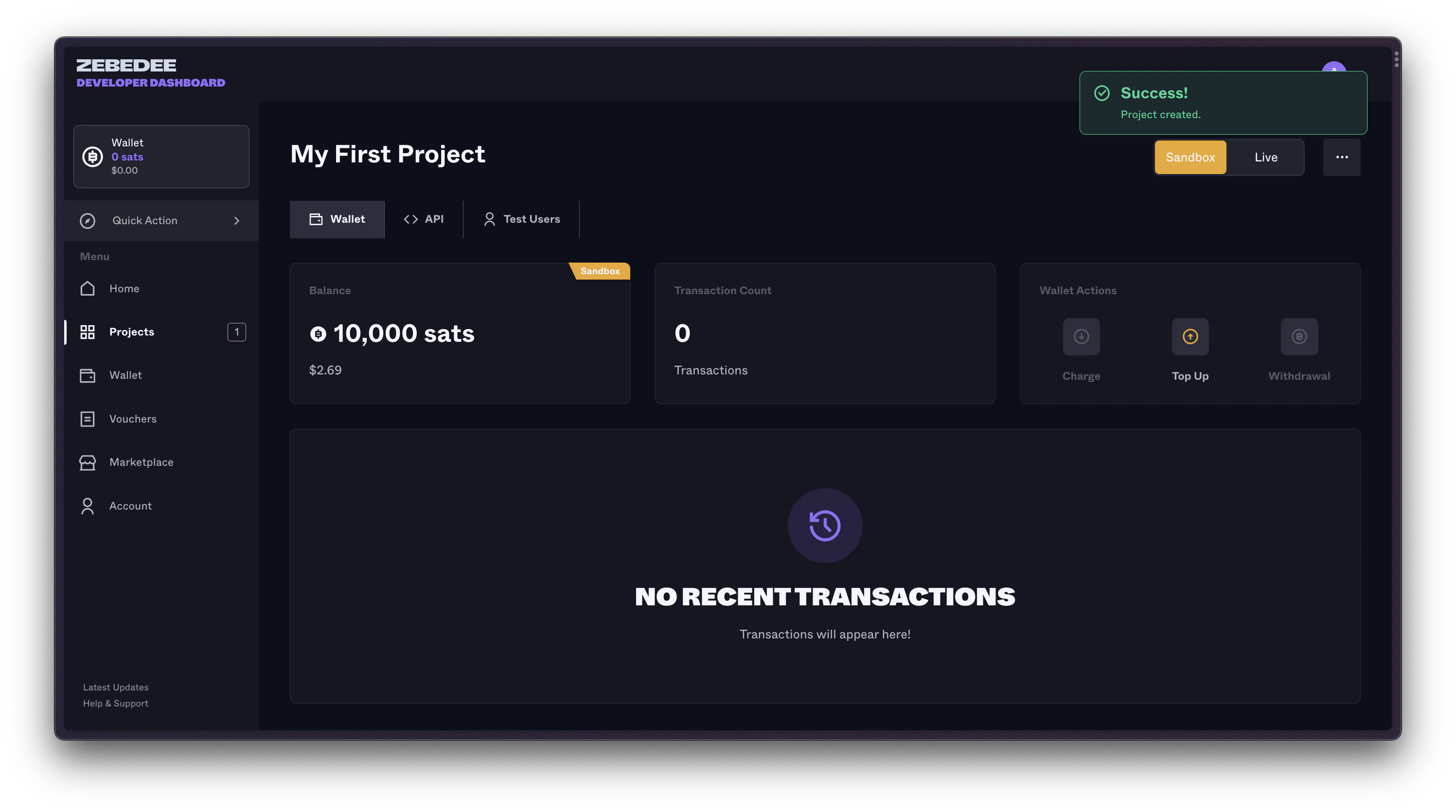 Look for:
* 🧪 **"Sandbox" label** on project cards
* 🎮 **Test Bitcoin balance** (not real money!)
* 👥 **Test Users tab** only in sandbox
* 🔑 **Sandbox API endpoints** in documentation
## Sandbox Architecture
```mermaid theme={null}
graph LR
A[Your App] -->|Sandbox API Key| B[ZBD Sandbox]
B --> C[Fake Lightning Network]
B --> D[Test User Wallets]
B --> E[Simulated Payments]
style B fill:#ffeb3b,stroke:#333,stroke-width:2px
style C fill:#fff9c4,stroke:#333,stroke-width:2px
style D fill:#fff9c4,stroke:#333,stroke-width:2px
style E fill:#fff9c4,stroke:#333,stroke-width:2px
```
## Getting Started with Sandbox
### Your First Sandbox Project
When you create your first project, you'll automatically get:
Pre-funded with 10,000 fake satoshis
Works only with sandbox endpoints
5 pre-created users with ZBD gamertags
All payment features available for testing
### Test Users
Click the **Test Users** tab to see your pre-created testing accounts:
Look for:
* 🧪 **"Sandbox" label** on project cards
* 🎮 **Test Bitcoin balance** (not real money!)
* 👥 **Test Users tab** only in sandbox
* 🔑 **Sandbox API endpoints** in documentation
## Sandbox Architecture
```mermaid theme={null}
graph LR
A[Your App] -->|Sandbox API Key| B[ZBD Sandbox]
B --> C[Fake Lightning Network]
B --> D[Test User Wallets]
B --> E[Simulated Payments]
style B fill:#ffeb3b,stroke:#333,stroke-width:2px
style C fill:#fff9c4,stroke:#333,stroke-width:2px
style D fill:#fff9c4,stroke:#333,stroke-width:2px
style E fill:#fff9c4,stroke:#333,stroke-width:2px
```
## Getting Started with Sandbox
### Your First Sandbox Project
When you create your first project, you'll automatically get:
Pre-funded with 10,000 fake satoshis
Works only with sandbox endpoints
5 pre-created users with ZBD gamertags
All payment features available for testing
### Test Users
Click the **Test Users** tab to see your pre-created testing accounts:
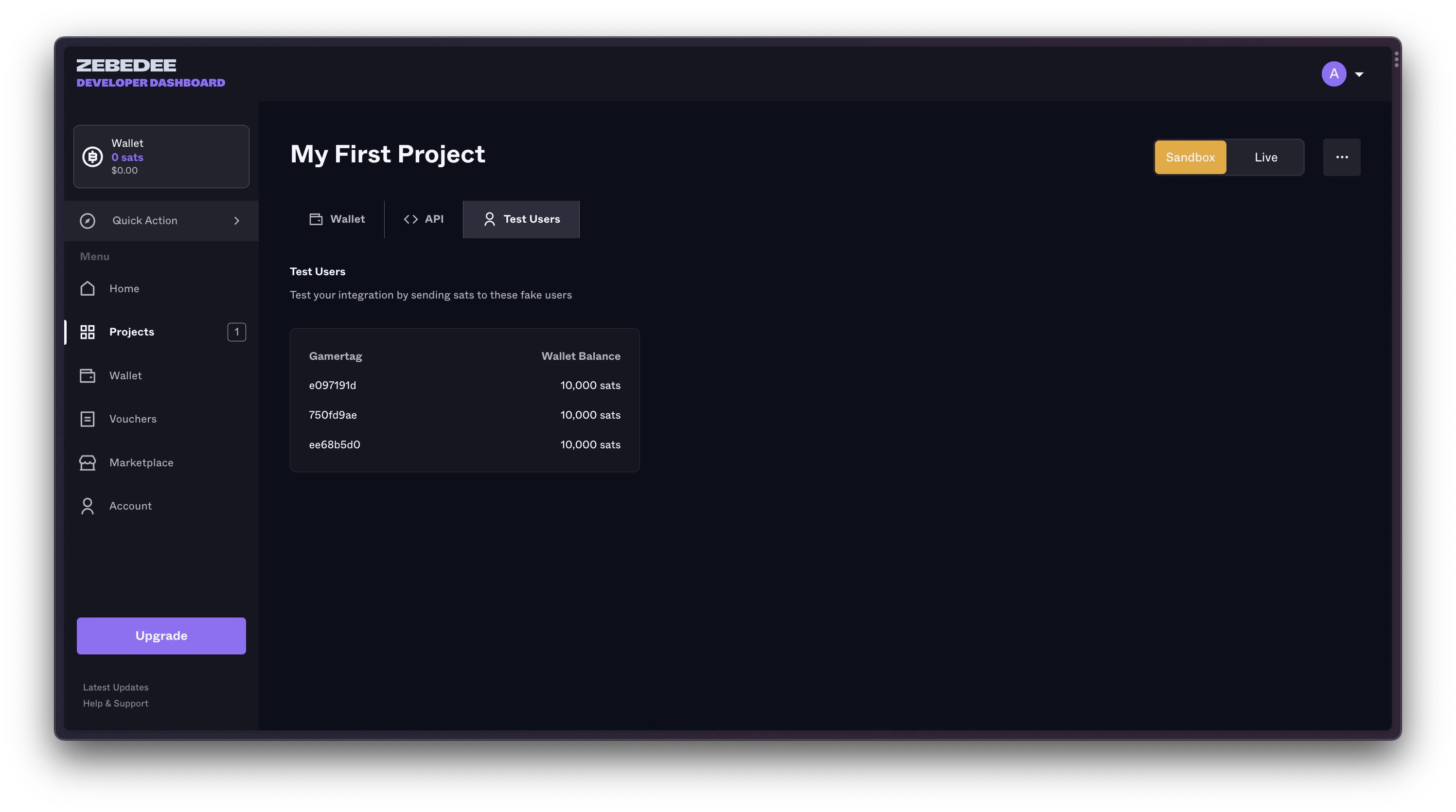 Each test user has:
* Unique ZBD Gamertag
* Test wallet with balance
* Ability to receive payments
* Full transaction history
**Example Test Users**:
```
- SandboxUser1#7823
- TestPlayer42#1337
- DevTester99#2024
```
## Topping Up Your Sandbox
Running low on fake satoshis? Add more instantly:
Each test user has:
* Unique ZBD Gamertag
* Test wallet with balance
* Ability to receive payments
* Full transaction history
**Example Test Users**:
```
- SandboxUser1#7823
- TestPlayer42#1337
- DevTester99#2024
```
## Topping Up Your Sandbox
Running low on fake satoshis? Add more instantly:
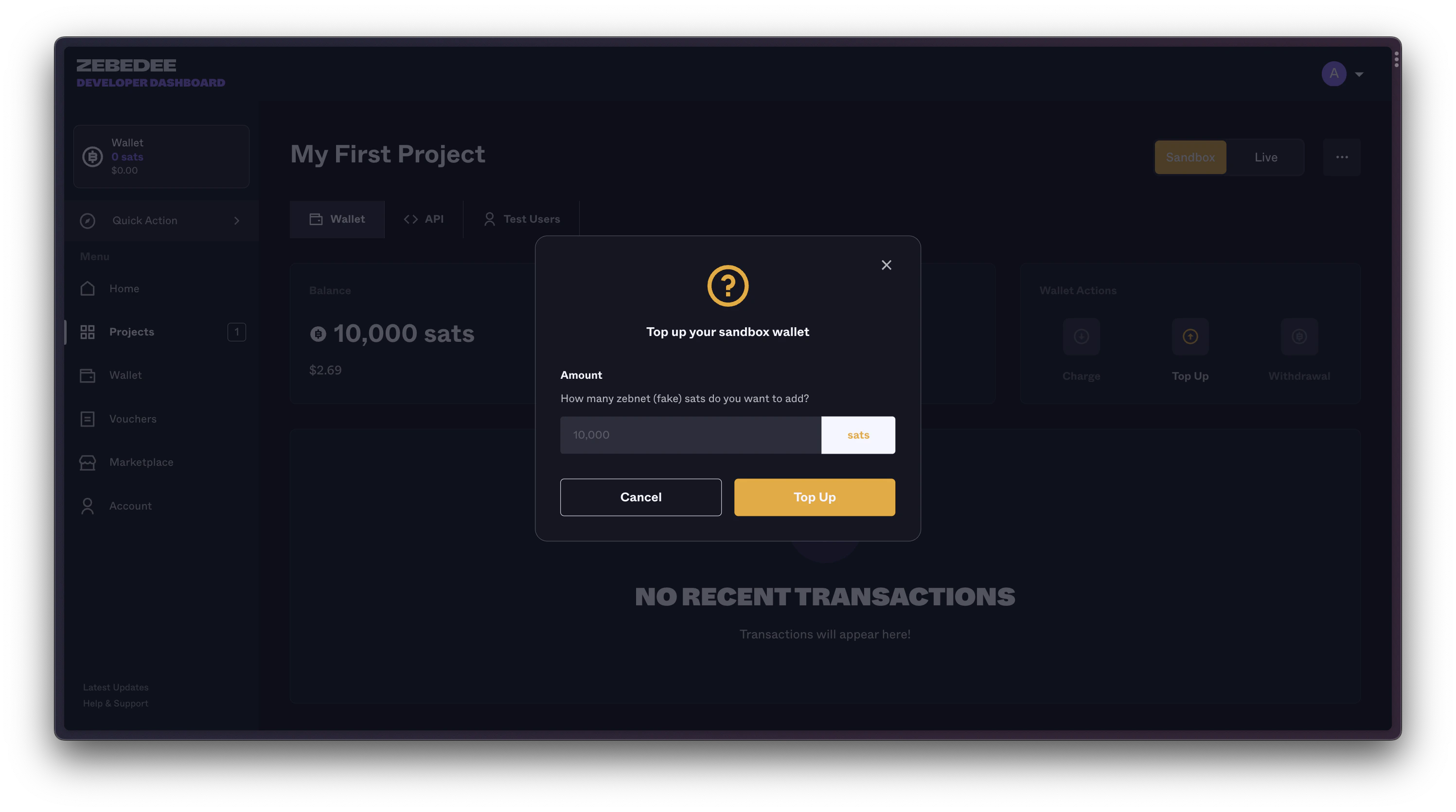 Click "Top Up" for +10,000 sats instantly
No limits - top up as many times as needed
## Sandbox API Endpoints
Sandbox uses separate endpoints to ensure you never accidentally mix test and production:
```
Base URL: https://sandbox-api.zbdpay.com
Example endpoints:
- /v0/gamertag/send
```
**Currently Limited**: Only the Send to Gamertag API is available in sandbox. For full API testing, complete verification for production access.
## Testing Payments in Sandbox
Let's send your first test payment:
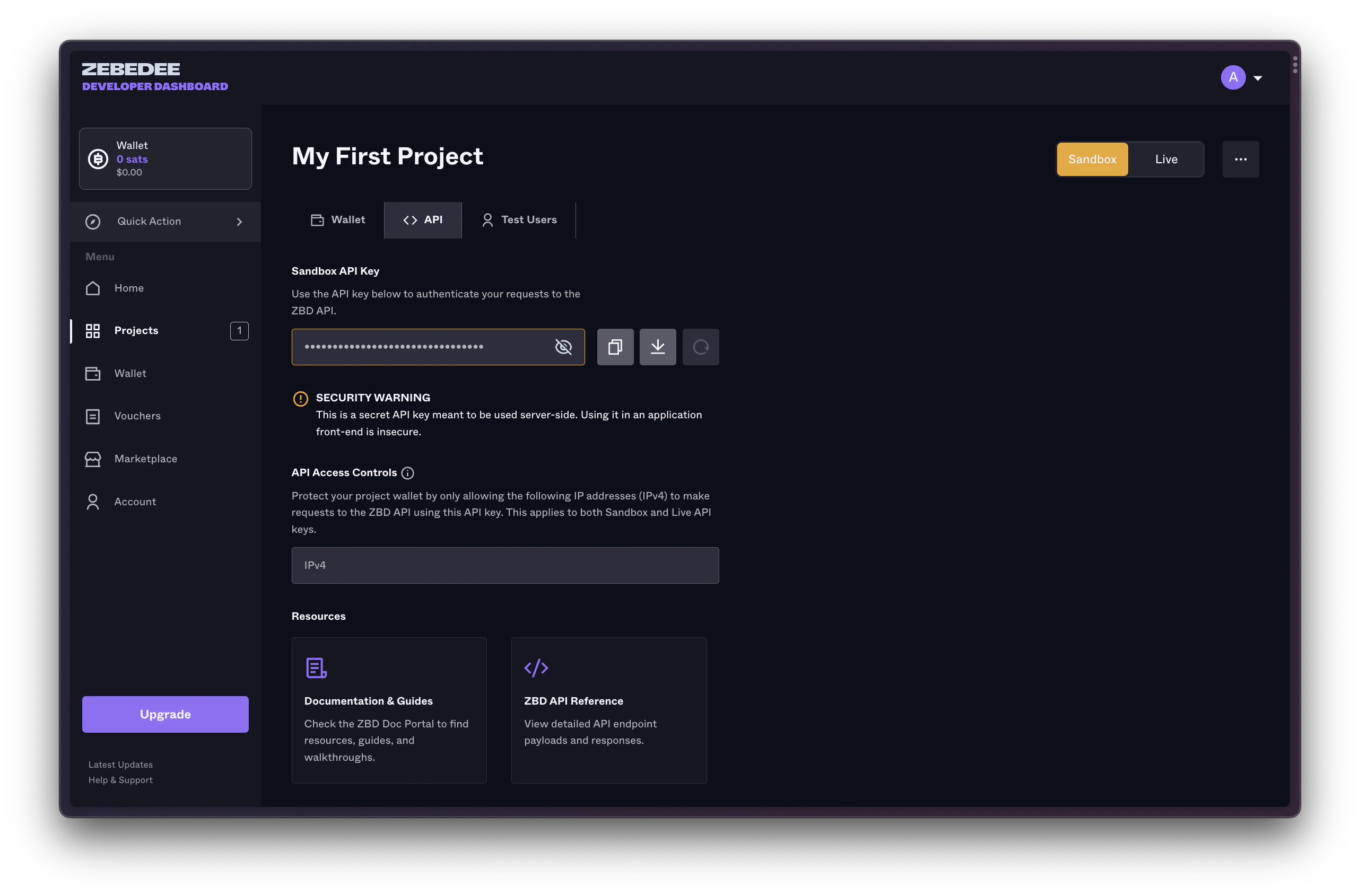
### 1. Get Your Sandbox API Key
Click "Top Up" for +10,000 sats instantly
No limits - top up as many times as needed
## Sandbox API Endpoints
Sandbox uses separate endpoints to ensure you never accidentally mix test and production:
```
Base URL: https://sandbox-api.zbdpay.com
Example endpoints:
- /v0/gamertag/send
```
**Currently Limited**: Only the Send to Gamertag API is available in sandbox. For full API testing, complete verification for production access.
## Testing Payments in Sandbox
Let's send your first test payment:
### 1. Get Your Sandbox API Key
 ### 2. Send Test Payment
Use the API Playground or your own code:
```bash cURL theme={null}
curl -X POST https://sandbox-api.zbdpay.com/v0/gamertag/send \
-H "apikey: YOUR_SANDBOX_API_KEY" \
-H "Content-Type: application/json" \
-d '{
"gamertag": "SandboxUser1#7823",
"amount": "100",
"description": "Test payment!"
}'
```
```javascript Node.js theme={null}
const response = await fetch('https://sandbox-api.zbdpay.com/v0/gamertag/send', {
method: 'POST',
headers: {
'apikey': process.env.SANDBOX_API_KEY,
'Content-Type': 'application/json'
},
body: JSON.stringify({
gamertag: 'SandboxUser1#7823',
amount: '100',
description: 'Test payment!'
})
});
const result = await response.json();
console.log('Payment sent!', result);
```
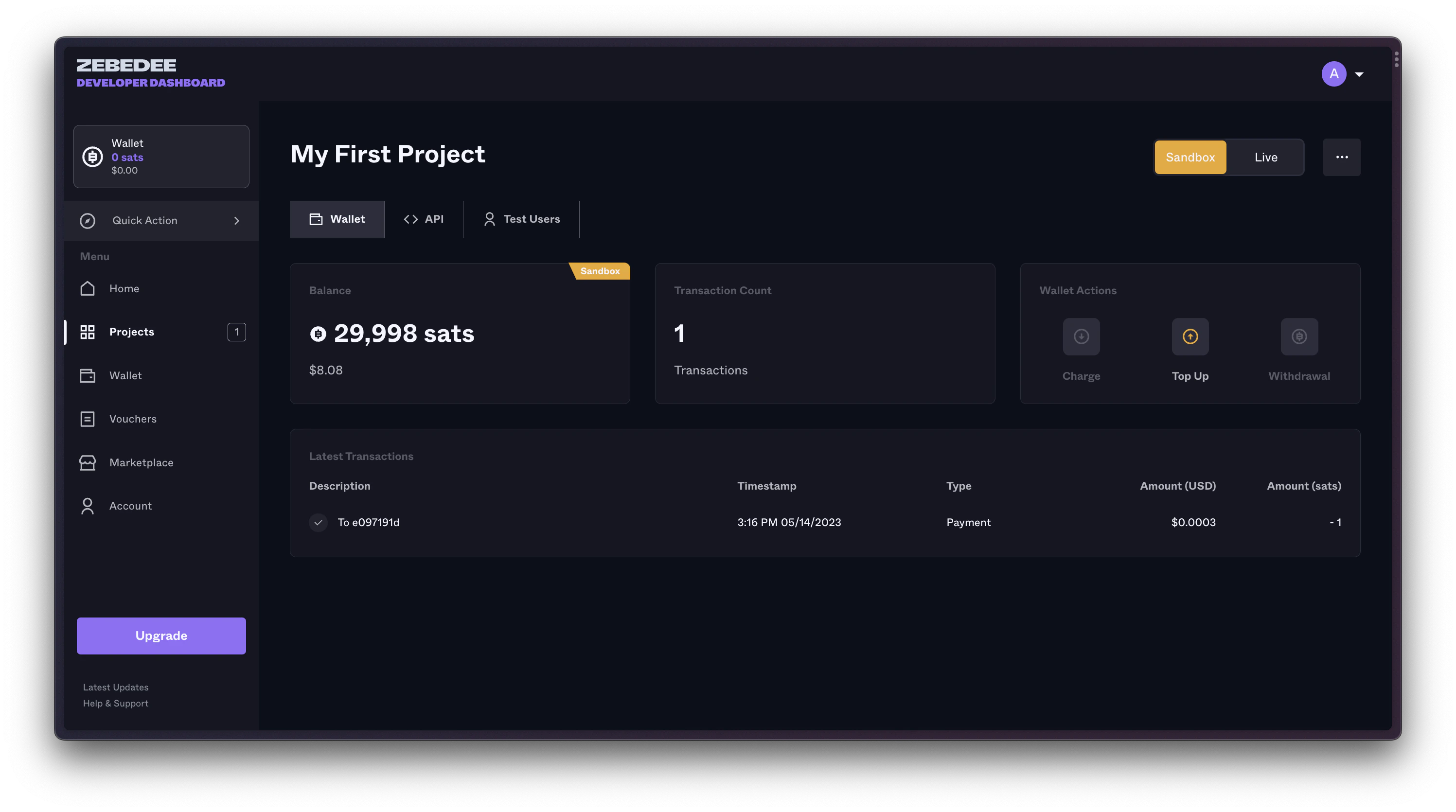
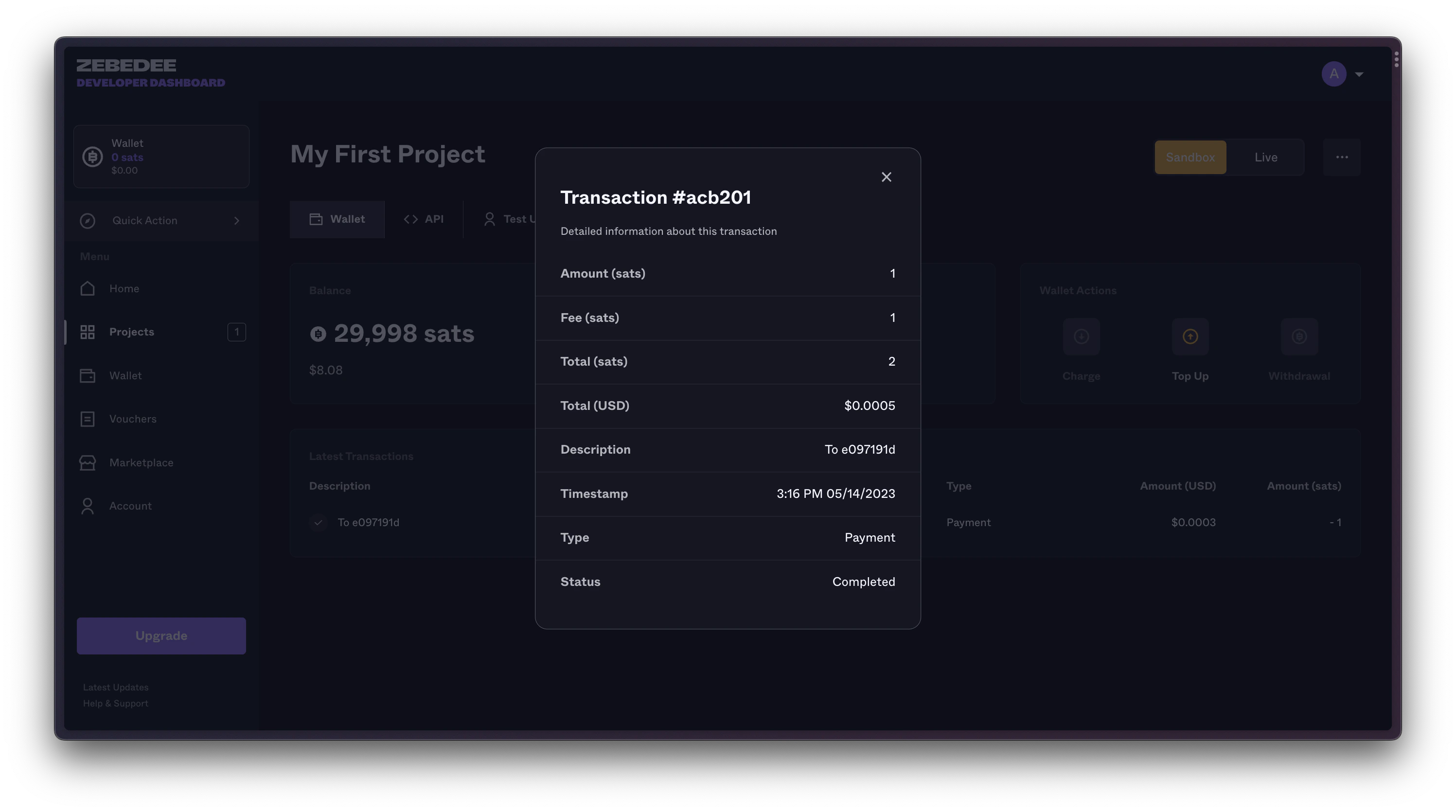
### 3. Verify Success
Check your sandbox wallet to see the transaction:
### 2. Send Test Payment
Use the API Playground or your own code:
```bash cURL theme={null}
curl -X POST https://sandbox-api.zbdpay.com/v0/gamertag/send \
-H "apikey: YOUR_SANDBOX_API_KEY" \
-H "Content-Type: application/json" \
-d '{
"gamertag": "SandboxUser1#7823",
"amount": "100",
"description": "Test payment!"
}'
```
```javascript Node.js theme={null}
const response = await fetch('https://sandbox-api.zbdpay.com/v0/gamertag/send', {
method: 'POST',
headers: {
'apikey': process.env.SANDBOX_API_KEY,
'Content-Type': 'application/json'
},
body: JSON.stringify({
gamertag: 'SandboxUser1#7823',
amount: '100',
description: 'Test payment!'
})
});
const result = await response.json();
console.log('Payment sent!', result);
```
### 3. Verify Success
Check your sandbox wallet to see the transaction:
 Click on the transaction for full details:
 ## Transitioning to Production
Ready to handle real money? Here's your checklist:
* All payment flows tested
* Error handling verified
* Webhook integration working
* Performance acceptable
Complete KYB process for production access
New project with production API key
* Change API endpoints
* Update API key
* Enable production monitoring
* Set up error alerts
Start with small real transactions
## Troubleshooting Sandbox
Ensure you're using sandbox endpoints with sandbox keys
Test Users tab only appears in sandbox projects
Complete verification for full API access in production
Sandbox webhooks work identically to production
## Next Steps
You've mastered the sandbox! Time to level up:
Complete KYB for production access
Explore all available endpoints
Create your first production project
***
**Remember**: Sandbox is your friend. Test everything here first. Break things, experiment, and learn. That's what it's for! When you're confident everything works, production is just an endpoint change away.
This documentation is built and hosted on [Mintlify](https://mintlify.com), a developer documentation platform.
## Transitioning to Production
Ready to handle real money? Here's your checklist:
* All payment flows tested
* Error handling verified
* Webhook integration working
* Performance acceptable
Complete KYB process for production access
New project with production API key
* Change API endpoints
* Update API key
* Enable production monitoring
* Set up error alerts
Start with small real transactions
## Troubleshooting Sandbox
Ensure you're using sandbox endpoints with sandbox keys
Test Users tab only appears in sandbox projects
Complete verification for full API access in production
Sandbox webhooks work identically to production
## Next Steps
You've mastered the sandbox! Time to level up:
Complete KYB for production access
Explore all available endpoints
Create your first production project
***
**Remember**: Sandbox is your friend. Test everything here first. Break things, experiment, and learn. That's what it's for! When you're confident everything works, production is just an endpoint change away.
This documentation is built and hosted on [Mintlify](https://mintlify.com), a developer documentation platform.