> ## Documentation Index
> Fetch the complete documentation index at: https://docs.zbdpay.com/llms.txt
> Use this file to discover all available pages before exploring further.
# Google Play Store Guidelines
> Instructions for successfully submitting your game to the Google Play Store.
**It is very important to follow the below guidelines to ensure your game does not run into issues with app reviewers on the Google Play Store.**
# Accessing App Content
In the left sidebar, go to **Monitor and improve** → **Policy and programs** → **App content**. Select the **Actioned** tab.
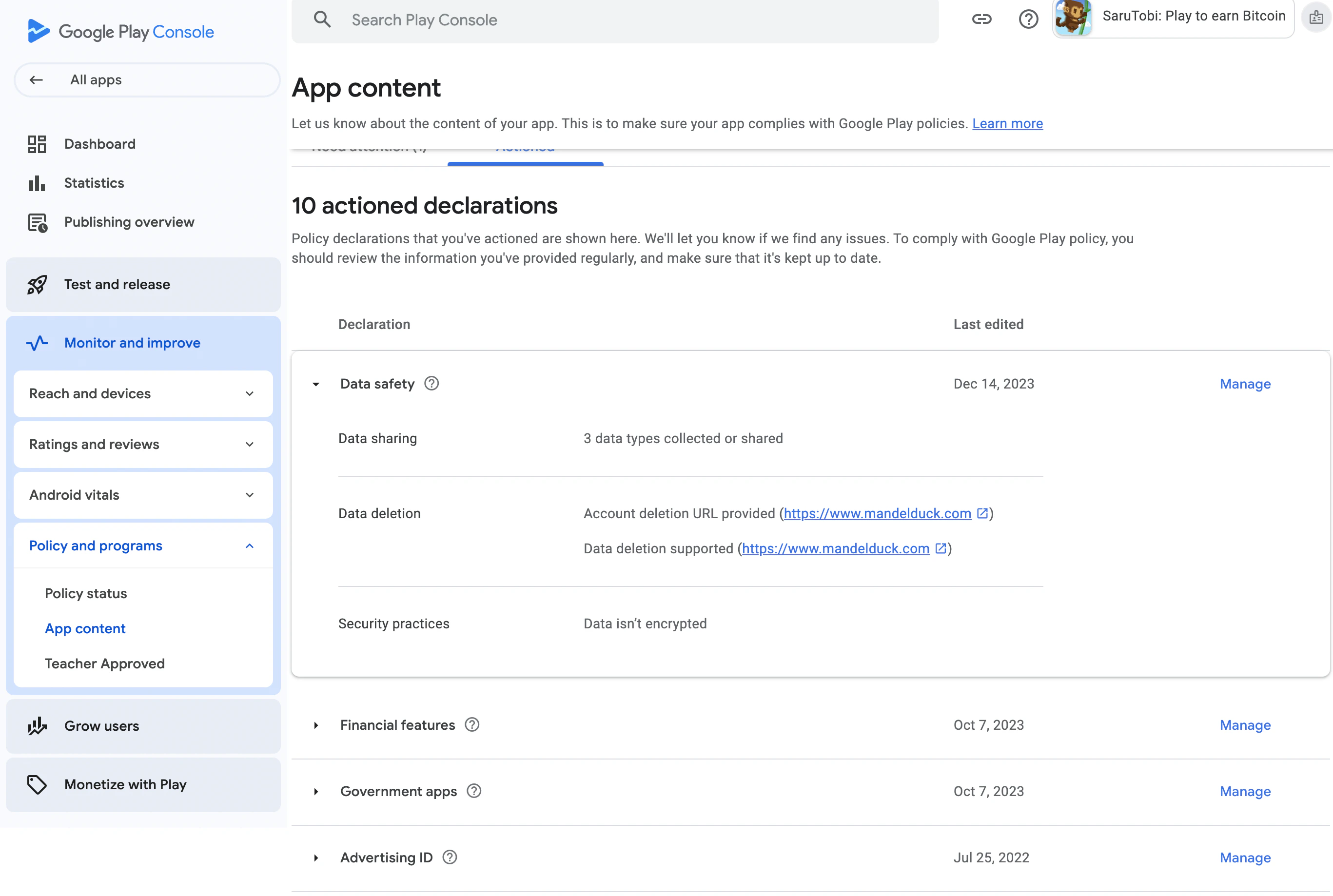 After accessing **Data Safety**, click **Next** until you reach the **Data Types** section.
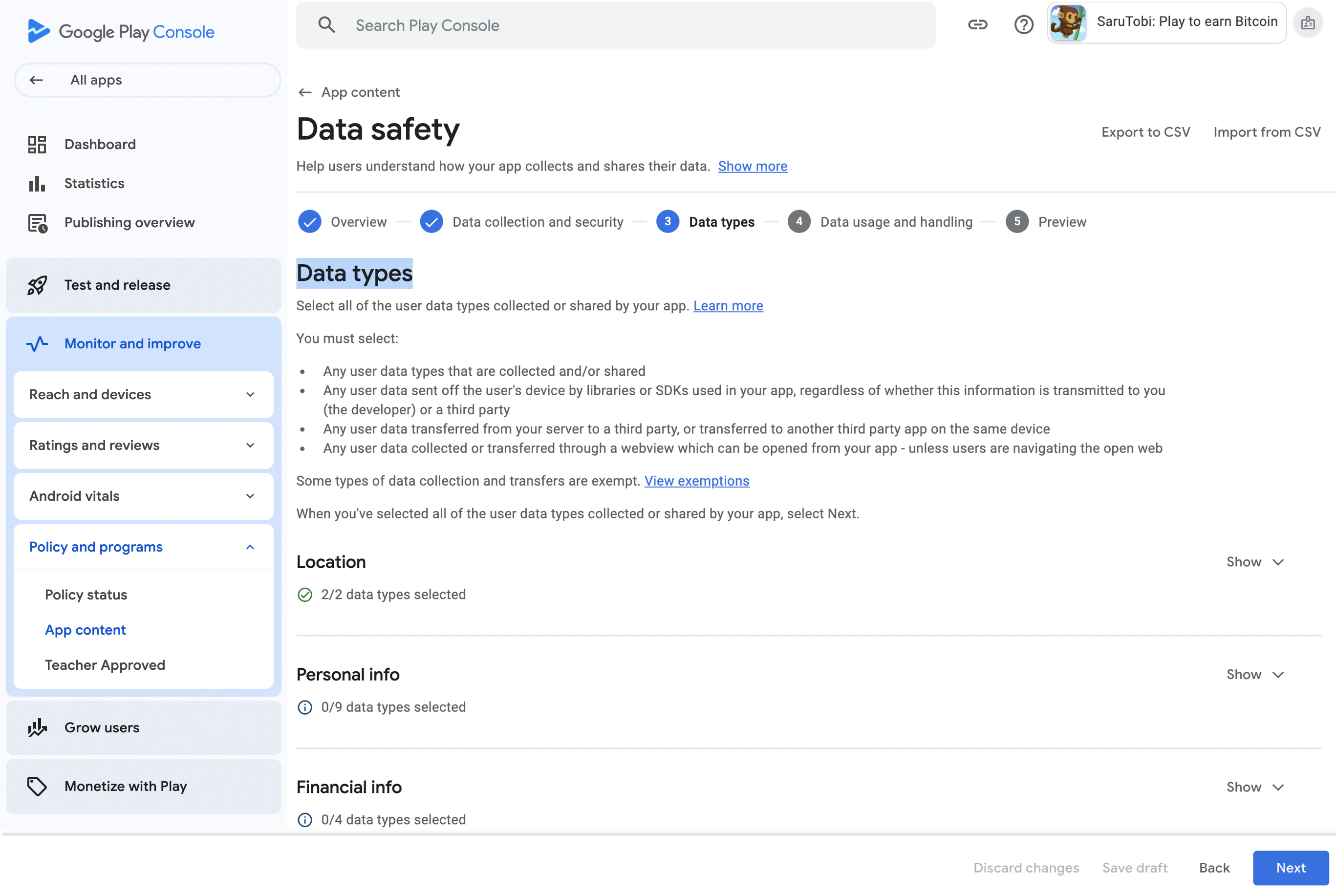 Expand the **App Activity** section and select **Installed Apps**.
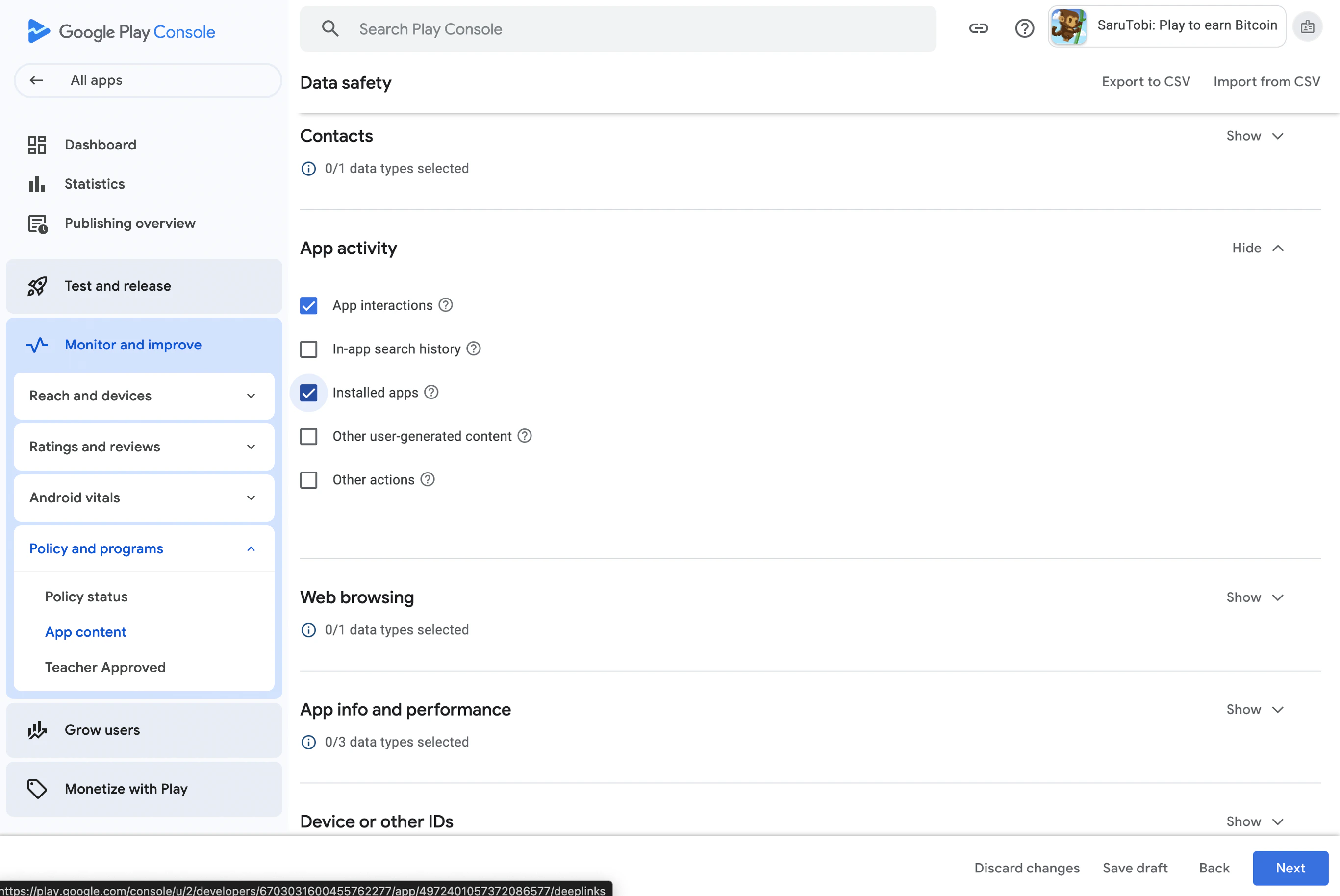 Expand the **Device or other IDs** section and select **Device or other IDs**.
 Click **Next** to proceed to **Data Usage and Handling**.
### 4. Data Usage and Handling
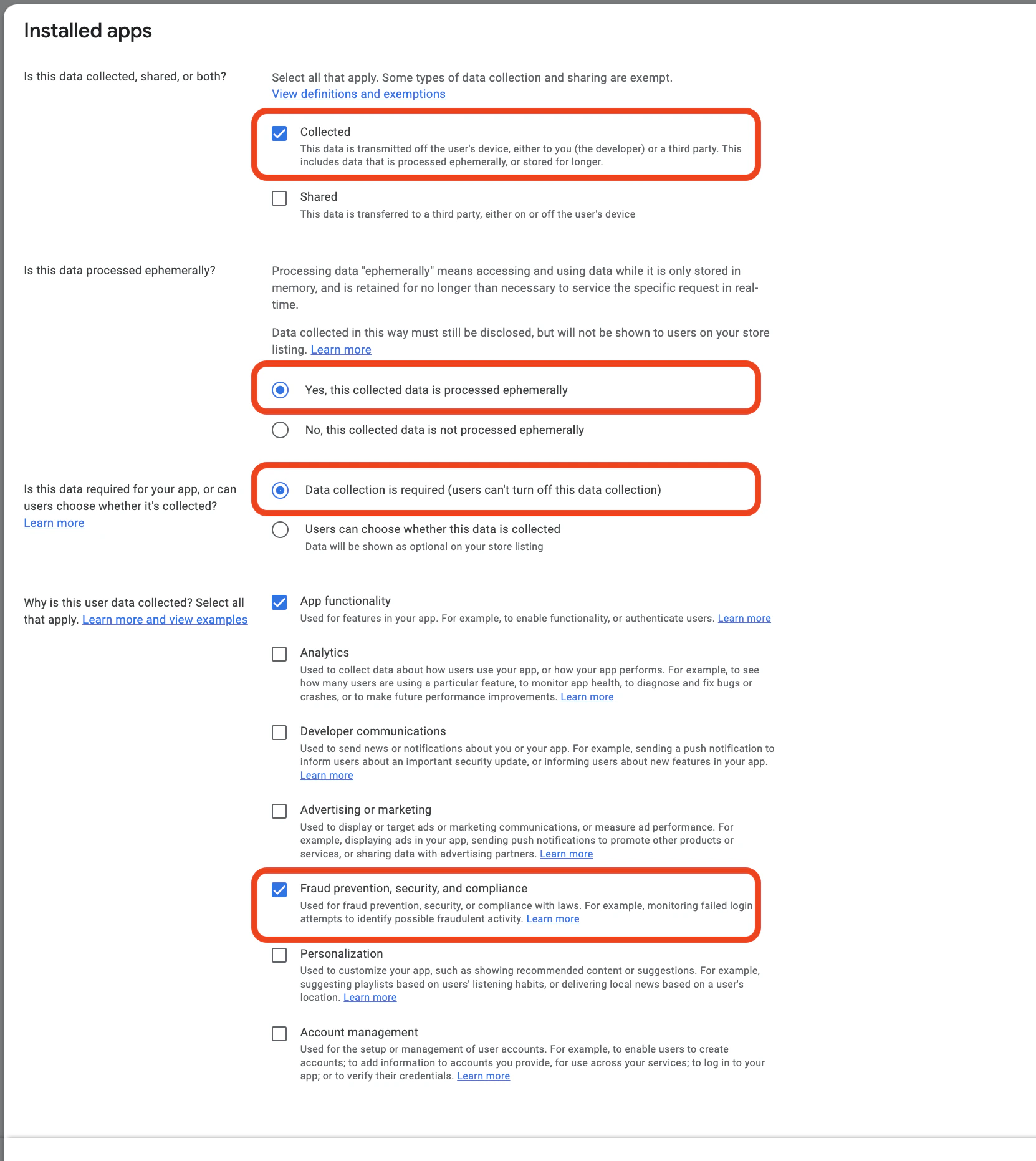
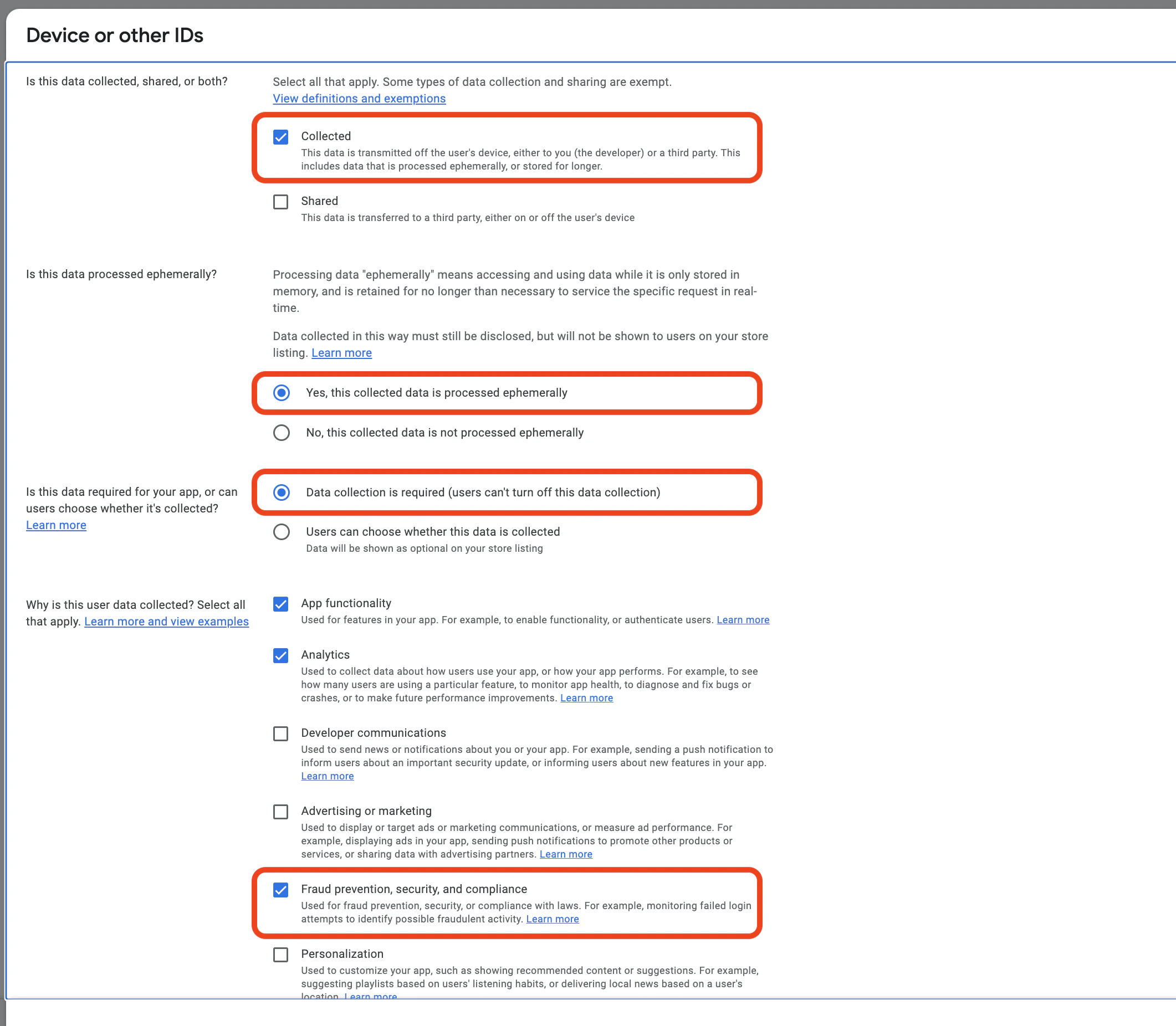
1. In the **Data Usage and Handling** section, expand **App Activity** and click **Start**.
2. Choose **Collected**
3. This is **NOT** processed ephemerally
4. Select **Data collection is required** (users can’t turn off this data collection) if applicable.
5. Under the reasons for data collection, select **Fraud prevention, security, and compliance**.
| Data Types | Collected | Shared | Processed ephemerally | Required or Optional | Purposes |
| ---------------------- | --------- | ------ | --------------------- | -------------------- | ---------------- |
| Installed applications | Yes | No | No | Required | Fraud Prevention |
| User IDs | Yes | No | No | Required | Fraud Prevention |
| Device or other IDs | Yes | No | No | Required | Fraud Prevention |
Click **Next** to proceed to **Data Usage and Handling**.
### 4. Data Usage and Handling
1. In the **Data Usage and Handling** section, expand **App Activity** and click **Start**.
2. Choose **Collected**
3. This is **NOT** processed ephemerally
4. Select **Data collection is required** (users can’t turn off this data collection) if applicable.
5. Under the reasons for data collection, select **Fraud prevention, security, and compliance**.
| Data Types | Collected | Shared | Processed ephemerally | Required or Optional | Purposes |
| ---------------------- | --------- | ------ | --------------------- | -------------------- | ---------------- |
| Installed applications | Yes | No | No | Required | Fraud Prevention |
| User IDs | Yes | No | No | Required | Fraud Prevention |
| Device or other IDs | Yes | No | No | Required | Fraud Prevention |
 ### 7. Finalizing and Saving