> ## Documentation Index
> Fetch the complete documentation index at: https://docs.zbdpay.com/llms.txt
> Use this file to discover all available pages before exploring further.
# Using Withdrawal QR Codes
> Understanding the Lightning Charge Workflow Problem
## Introduction
The Lightning Network is a push-based system: in order to receive payments, the payee must first create a Charge / Payment Request, which the payer can pay. This is a great workflow when users are making payments for goods and services. Usually this workflow is as follows:
User performs action that requires a Payment.
A Lightning Charge is created for the specified amount and displayed as QR.
User uses a Lightning Wallet (usually mobile app) to scan QR and decode payment.
User reviews and confirms request details and accepts the Payment.
You receive the Payment and unlock content/action for the user.
This is a great user experience between User and a Project (e.g. game or application). However, this user workflow is limited to **User paying Project**.
To perform the reverse (Project paying User), as with all Lightning payments, the Project must first ask for a Lightning Network Charge/Invoice from the User, for a specific amount. This provides for subpar UX because the User is now an active participant when receiving funds.
## Withdrawal Request API
Withdrawal Requests are the exact opposite of a Charge. Whereas a Charge is a payment from a User to a Project, a Withdrawal Request can be understood as a payment from a Project to a User. In other words, a Charge is a QR code that accepts a Bitcoin payment while **a Withdrawal Request is a QR code that allows a User to claim Bitcoin**.
ZBD's Withdrawal Request capability is based on the [LNURL open-source specification](https://github.com/fiatjaf/lnurl-rfc), which provides a standard for easier communication between Wallets (users) and Projects, through the use of HTTP requests. A developer building upon ZBD's Withdrawal Requests functionality does not need to understand the underlying methodology and workflow of LNURL - the [ZBD API](/payments/api) abstracts away any complexities. Let's see how to do it.
If you've been able to create a ZBD Charge, then you will be able to create a ZBD Withdrawal Request easily.
### Creating a Withdrawal Request
When creating a Withdrawal Request code to allow Lightning Wallets to withdraw funds from the Project (game or application) you must provide the following attributes to the [`/withdrawal-requests`](/payments/api/withdrawal-requests/create) endpoint:
| Property | Status | Description |
| ------------- | :------: | ------------------------------------------------------------------------------------------------------------------------------------------------------------------------- |
| `amount` | *String* | The Withdrawal Request amount (in millisatoshis). |
| `description` | *String* | The Withdrawal Request description. |
| `internalId` | *String* | An optional free-use attribute. Usually used by setting the Player/User ID of your Game/Application in order to link specific Withdrawal Requests to specific Players. |
| `callbackUrl` | *String* | The URL ZBD services will make a POST HTTP request to with information about the Withdrawal Requests's status updates. See [Callbacks](/payments/api/callbacks) for more. |
| `expiresIn` | *Number* | The desired expiration time for this Withdrawal Request (in seconds). |
To create the Withdrawal Request, use the ZBD API (or leverage one of our SDKs) by passing the correct attributes:
```js NodeJS theme={null}
// Using ZBD's NodeJS SDK
import { zbd } from '@zbdpay/payments-sdk';
// Instantiate the client
const ZBD = new zbd('API_KEY_HERE');
// Set the payload
const payload = {
expiresIn: 300,
amount: '50000',
internalId: '11af01d0924aa6b8304b8',
description: 'My Custom Withdrawal Request',
callbackUrl: 'https://yourapp.com/zbd-callback',
};
// Create Withdrawal Request
try {
const response = await ZBD.createWithdrawalRequest(payload);
} catch(error) {
console.log({ error });
}
```
```bash cURL theme={null}
curl --location --request POST 'https://api.zbdpay.com/v0/withdrawal-requests' \
--header 'Content-Type: application/json' \
--header 'apikey: API_KEY' \
--data-raw '{
"expiresIn": 300,
"amount": "50000",
"internalId": "11af01d0926b8304b8",
"description": "My Custom Withdrawal Description",
"callbackUrl": "https://example.com/zbd-callback"
}'
```
If the submitted request suceeds, you can expect a JSON API response that resembles the following:
```json theme={null}
{
"message": "Successfully created Withdrawal Request.",
"data": {
"id": "c121356b-9671-4fbd-a751-987fb4b3d0b3",
"unit": "msats",
"amount": "50000",
"status": "pending",
"description": "Description of the Withdrawal Request",
"createdAt": "2019-12-23T03:58:17.993Z",
"callbackUrl": "https://example.com/zbd-callback",
"internalId": "11af01d092444a317cb33faa6b8304b8",
"invoice": {
"expiresAt": "2019-12-23T04:08:18.038Z",
"request": "lnurl1dp68gurn8ghj7cn9w3sj6ctsdyh85etzv4jx2efwd9hj7a3s9acxz7tvdaskgtthd96xserjv9mkzmpdwfjhzat9wd6r7um9vdex2apav3skxdfev93rwvm9x43nwcf5vvekgdmpxq6rgvrrxumnxdp3vserqe35v4jr2efs8y6k2epkxf3rxc35vg6nwdrpx9jrqv3kxfjxxwqxmuhcd"
}
}
}
```
### Displaying as QR Code
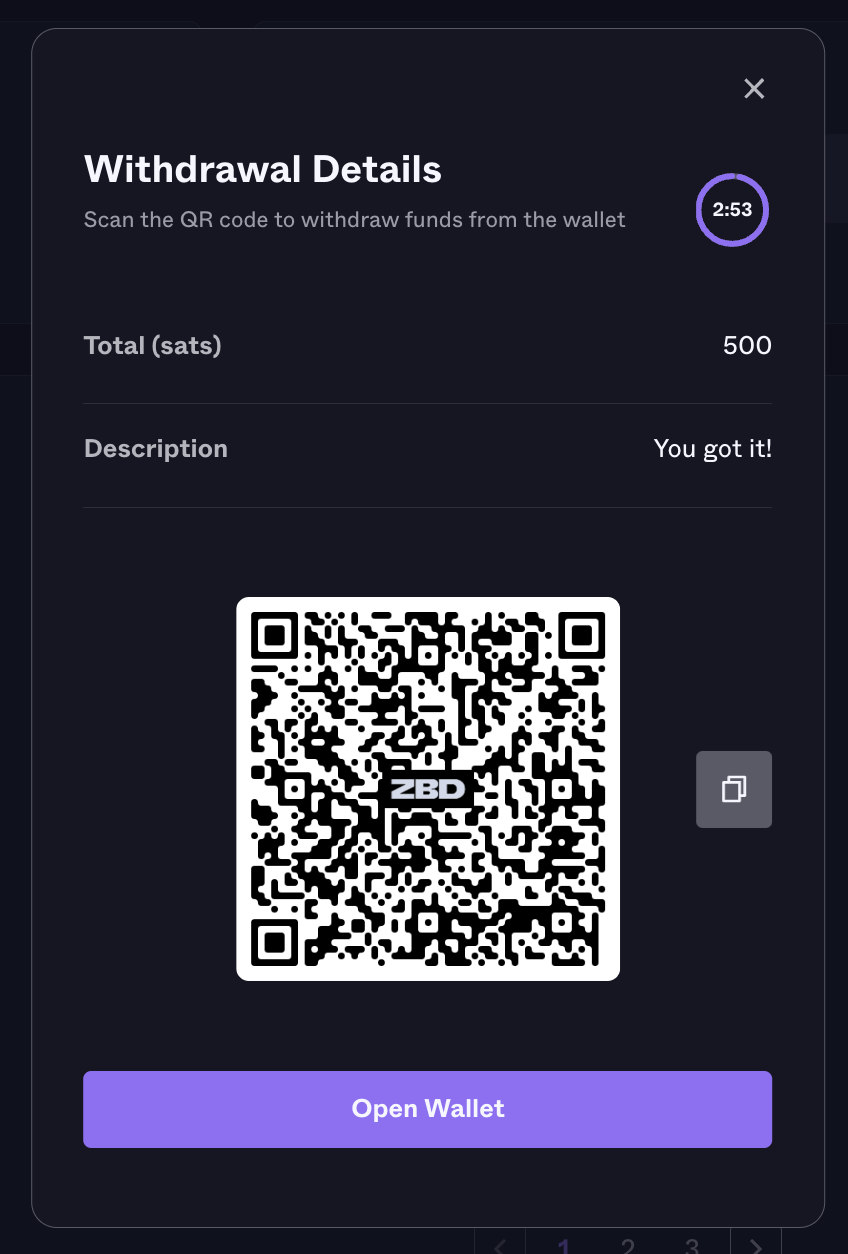
In order to display the Withdrawal Request as a QR code, simple use the `data.invoice.request` attribute returned from the API response and pass it to your QR code generator of choice. The QR code should look something like this:
## Request Updates
Note that the Withdrawal Request is created in a `pending` state as it still hasn't *been claimed*. All Withdrawal Requests will either **complete** or **expire**. If no User is able to Withdraw the funds on time before the Withdrawal Request's expiration time, the Request will expire and will therefore no longer be valid. To know the status of your specific Withdrawal Request, check the `status` attribute returned from the `CreateWithdrawalRequest` or `GetWithdrawalRequestDetails` API calls.
```json theme={null}
{
...
"status": "expired" // pending | completed | expired | error
...
}
```
To subscribe to updates on a specific Withdrawal Request, the recommended approach is to provide a `callbackUrl` property when creating that Withdrawal Request. Whenever there are updates to the Withdrawal Request (a payment was made, or it has expired) the [ZBD API](/payments/api) will make a POST request to the URL provided in `callbackUrl`, passing the Withdrawal Request updates as data in the request.