> ## Documentation Index
> Fetch the complete documentation index at: https://docs.zbdpay.com/llms.txt
> Use this file to discover all available pages before exploring further.
# AI-Generated Themes
> Use AI to instantly generate custom themes that match your brand
ZBD Ramp features an innovative AI-powered theme generator that can create a custom theme from your existing brand materials in seconds.
 ## How It Works
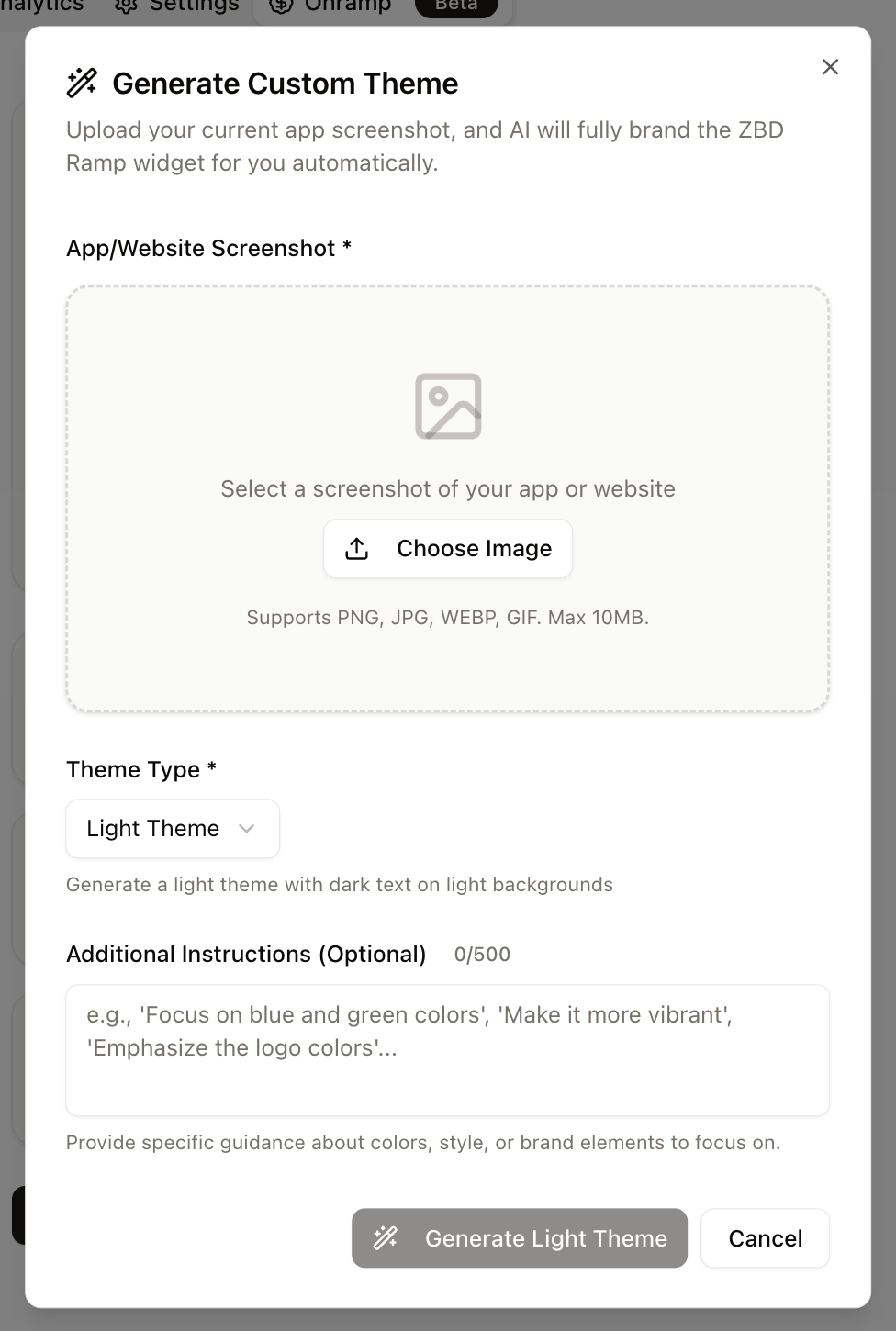
Our AI theme generator analyzes your uploaded images and automatically maps your brand colors and design patterns to create a perfectly matched widget theme.
Upload a screenshot, logo, or any image that represents your brand's visual identity
Select whether to start from a light or dark theme foundation
Optionally provide guidance like "focus on blue and green colors" or "make it vibrant"
Click generate and watch AI create your custom theme in seconds
Edit any element using the Live Preview editor to perfect your theme
## Support
Need help with AI theme generation?
* Access the generator in your [ZBD Developer Dashboard](https://dashboard.zebedee.io)
* Contact your account manager for guidance
* Review generated theme examples in the dashboard
## How It Works
Our AI theme generator analyzes your uploaded images and automatically maps your brand colors and design patterns to create a perfectly matched widget theme.
Upload a screenshot, logo, or any image that represents your brand's visual identity
Select whether to start from a light or dark theme foundation
Optionally provide guidance like "focus on blue and green colors" or "make it vibrant"
Click generate and watch AI create your custom theme in seconds
Edit any element using the Live Preview editor to perfect your theme
## Support
Need help with AI theme generation?
* Access the generator in your [ZBD Developer Dashboard](https://dashboard.zebedee.io)
* Contact your account manager for guidance
* Review generated theme examples in the dashboard