Edit project settings, manage access, and control your project lifecycle
Keep your projects organized and up-to-date. From updating branding to archiving completed projects, here’s everything you need to know about project management in ZBD.
Critical Actions: Some project management actions (like archiving) are irreversible. Always ensure you understand the implications before proceeding.
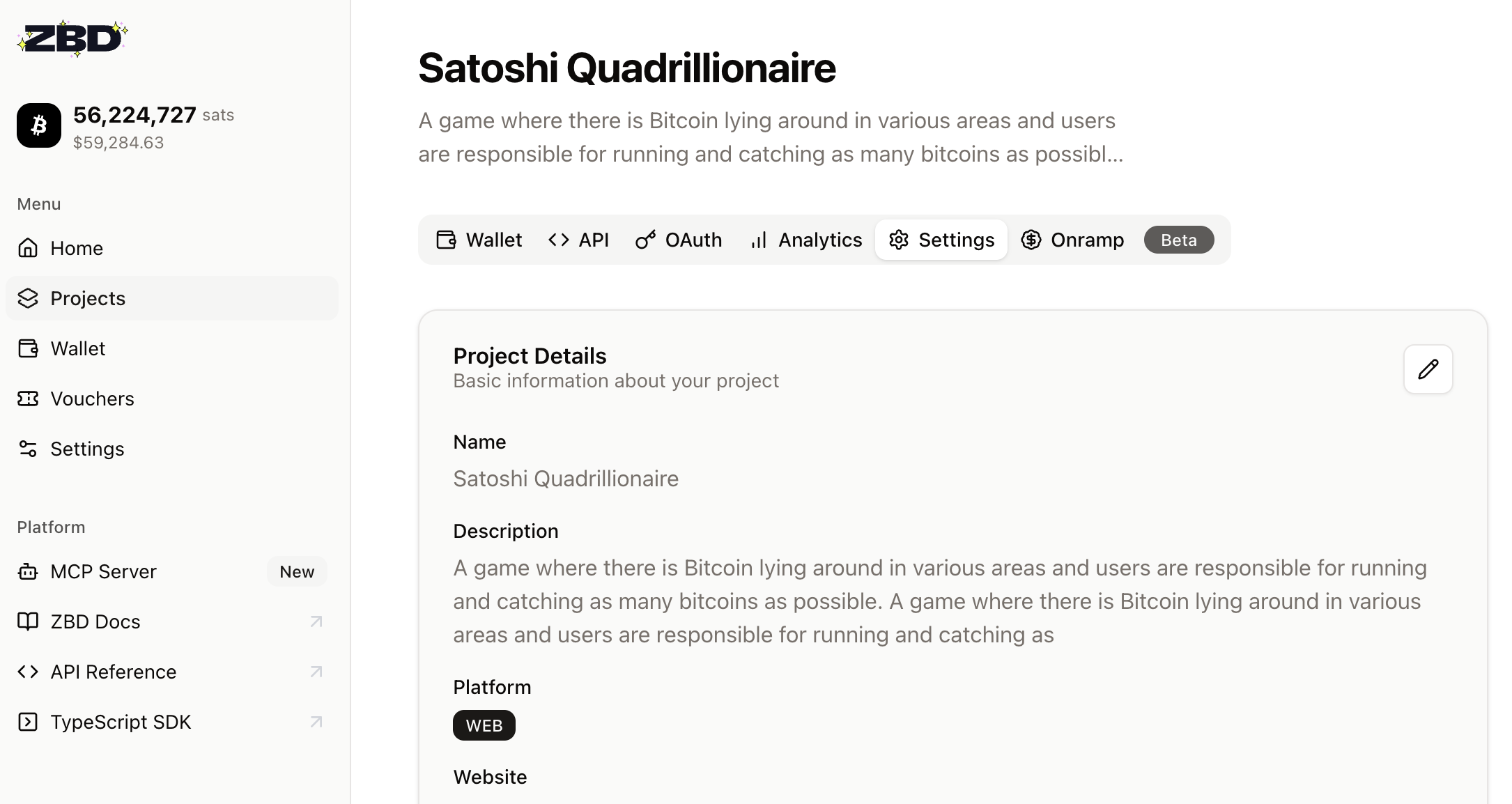
Editing Project Details
Your project’s details appear in payment flows and help organize your dashboard. Keep them current and professional.
What You Can Edit
Project Name
Appears in payment notifications to users
Description
Internal notes for your team’s reference
Project Image
Your logo shown during payment flows
How to Edit
Editing a project details is simple:
Navigate to Projects page
Find your project card
Click the project card to enter project view
Select Settings tab
Edit the details you want to change
Click Update
Edit Project Details
Archiving Projects
When a project is no longer needed, archiving keeps your dashboard clean while preserving records.
Immediate Effects of Archiving:
API key is permanently disabled
No new transactions possible
Wallet funds auto-transfer to main wallet
Action cannot be undone
When to Archive
Project development is cancelled
App/game has been sunset
Migrating to a new project
Cleaning up test projects
How to Archive
1
Open Project
Navigate to the project you want to archive
2
Select Settings Tab
Click the Settings tab on the top
3
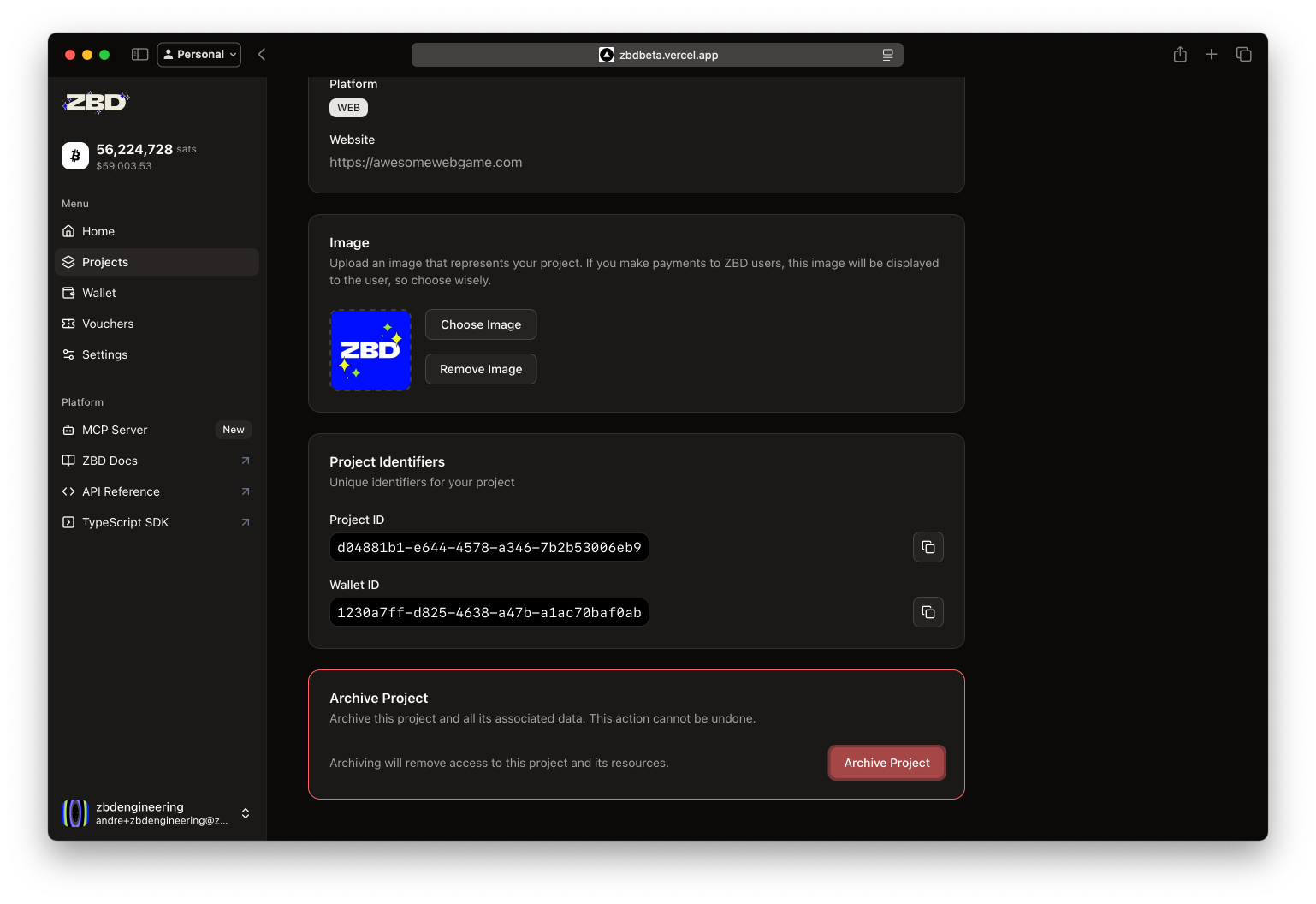
Select Archive
Scroll down and choose Archive Project from advanced options
Archive option in project menu
4
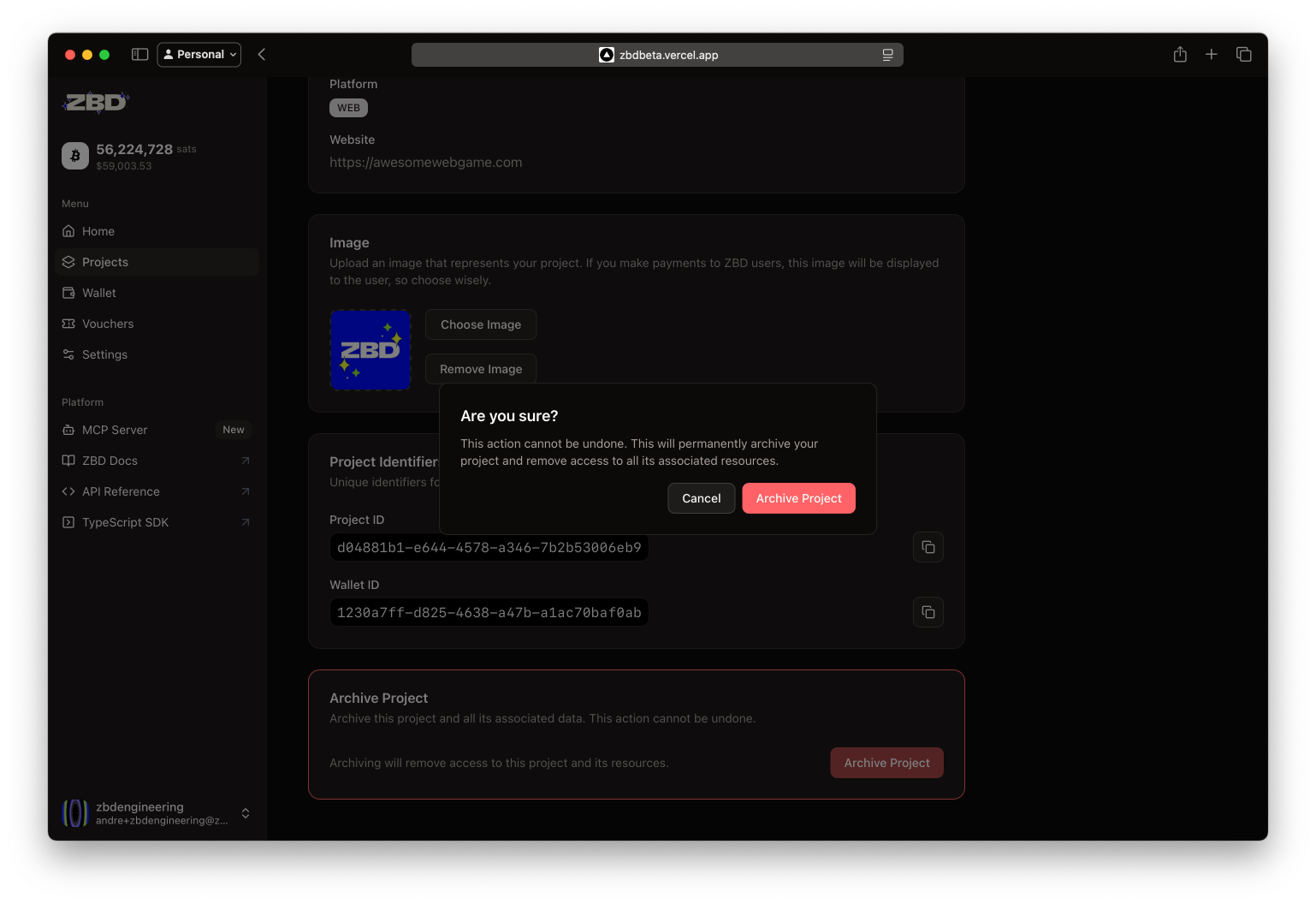
Confirm Action
Read the warning and click Archive to confirm
Confirm project archival
Next Steps
Project Security
Secure your API keys and set up IP allowlisting
Monitor Wallet
Track your project’s financial activity
Scale Operations
Discuss enterprise features for larger teams
Pro Tip: Set up a project naming convention early. As you scale, having organized projects with clear names like “AppName-Prod-US” and “AppName-Dev-EU” will save hours of confusion.