

Unity SDK
Drop a prefab into your scene. No backend required.
In-game currency or Bitcoin
Reward players in your own virtual currency units or in satoshis. Most studios use the in-game currency model.
Built-in payout UI
Players cash out through the ZBD modal. You open it with one method call; ZBD handles the rest.
+82% ARPDAU
Average revenue per daily active user increase seen by ZBD partners.
+1,215% D30 retention
Long-term retention lift seen by partners with well-integrated reward economies.
10–20% of ad revenue
Typical reward budget. Reinvesting a slice of revenue generates significantly more in return.
What makes it work
Before anything else, know what a successful integration depends on. Three things drive conversion — if one is missing, your rewards may underperform:- Your UI/UX shows and explains how rewards work and how to claim them — native game elements first, plus creatives and notifications.
- You’re rewarding enough to be worth coming back for. Nobody changes their behavior for a few cents — size rewards off actual revenue by connecting your MMP.
- You know your audience. Acquiring players who want to earn — or who’d be interested in earning — improves conversion rates.
The three requirements, in detail
What to do for each one, and the pages that implement them. Read this before you design your rewards UX.
How it works
Players accumulate a rewards balance at triggers you define. The balance is denominated in your chosen reward currency: virtual units in in-game currency mode, or satoshis in Bitcoin mode. When players are ready to cash out, they tap the rewards entry point in your game, pick how they want to be paid, and withdraw. ZBD handles the rest. Two values govern every player’s rewards state:
The withdrawal limit exists mainly to protect against fraud, but it’s also a retention mechanic: how much the limit can grow in a day is capped, and that daily allowance resets every 24 hours — so players come back tomorrow to unlock more of what they’ve earned.
A player can earn faster than their limit grows. The excess stays in their balance and becomes withdrawable as the limit rises, either through continued play or a server-side increase.
You set the reward amounts and configure the withdrawal limits. ZBD enforces those limits on the player side. This separation means you can be generous with rewards without taking on uncapped financial exposure.
The player experience
Here’s what a player sees from first launch through first cashout — the journey you’re building toward.1
They earn their first reward
At a gameplay moment you define (level complete, daily mission chest, milestone hit), a reward notification fires: “You earned 500 coins ($0.05)!” They didn’t have to do anything differently — it just happened. Fire this early in the first session, so the player never sees the rewards counter sitting at zero: discovering a balance that already exists is what makes the feature feel real.
2
They see the rewards counter
The player notices a balance counter in your game UI alongside your other currencies — and there’s already something in it. It’s branded to your game; they have no idea what’s powering it.
3
They see the reveal
Right after the first reward lands, a one-screen creative shows the balance they already have, paired with the reason it’s real: “game studios share their ad revenue with players.” The modal’s built-in first-time screen doesn’t carry that line, so this is where players learn why the rewards aren’t a scam. See the Player Communication Guide.
4
They tap the entry point
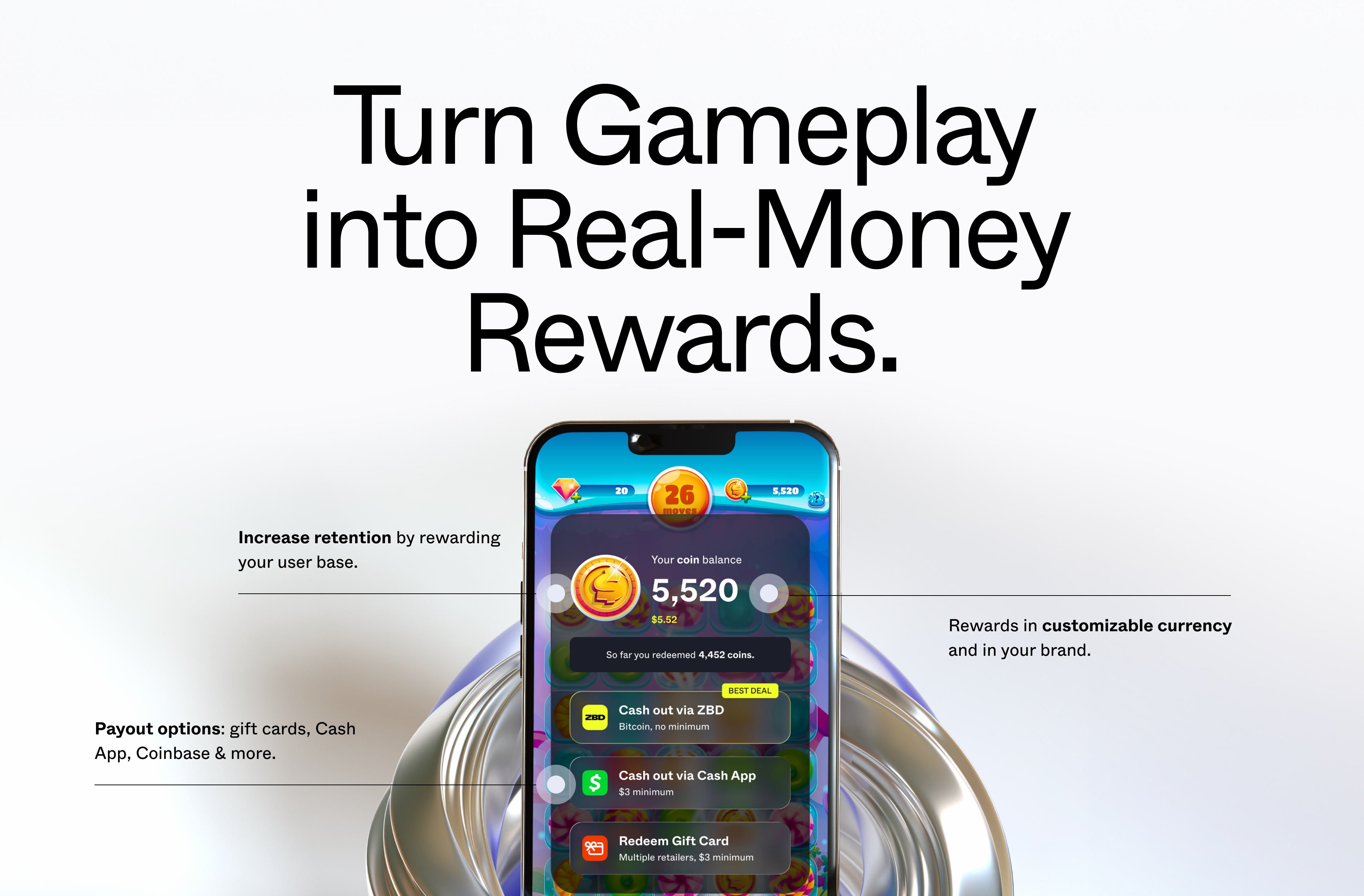
They tap the counter (or your rewards button). The modal opens instantly — no extra screens — showing their balance and the cashout options you’ve configured with your Customer Success Manager: gift cards, Cash App, ZBD, and others depending on their region.
5
They cash out
They pick a payout option and withdraw. The modal handles the full flow, and they’re deep-linked back to your game when it’s done.Most options need nothing more than that. Cashing out to ZBD is the one that requires the player to have a linked ZBD account — worth knowing because ZBD runs partner incentive programmes for studios whose players cash out to ZBD, so you may want to promote it as an option. It’s never a requirement for withdrawing.
6
They come back tomorrow
Their withdrawal limit doesn’t reset — what resets is how much more of it they can unlock. Each day brings a fresh allowance, so any balance they couldn’t withdraw yet becomes withdrawable as they keep playing. The habit loop is set: play, earn, come back.
Key decisions
Before writing any code, you’ll need to choose your reward currency (in-game units or Bitcoin), your delivery method (client-side or server-side), and confirm your target regions are covered. These decisions shape your integration.Before You Build
Reward currency, delivery method, and payout options — with a comparison table for each. Read this before starting the setup.
How the economics work
The reward budget comes from you — typically a small percentage of the revenue your players are already generating. You’re not buying ad impressions or paying for external traffic. You’re redirecting a portion of existing player LTV back to the players who generate it, at a fraction of what acquisition channels cost. ZBD’s platform fees are low, and the total cost of running a rewards program is designed to be well within the value it returns in retention and engagement. Your Customer Success Manager will walk you through the specifics when you get set up.Compliance and KYC
Payments involve compliance requirements. Here’s what falls on ZBD and what falls on you. ZBD handles:- Player identity verification — players go through a light KYC step the first time they cash out, inside the ZBD modal. You don’t build or manage this.
- Regulatory compliance — ZBD is a licensed payment service provider in the US and EU.
- Fraud tooling — withdrawal limits, device attestation, geolocation, and VPN detection are built into the SDK.
- Your reward exposure — you set the budget and limits. ZBD’s built-in protections reduce fraud risk, but you ultimately own your reward economics. Moving to server-side reward delivery is the most effective step you can take. See Security for the full picture.
- App store compliance — ZBD rewards must be implemented correctly to comply with Apple App Store and Google Play policies. See iOS App Store Guidelines and Android App Store Guidelines.
- How you communicate rewards to players — see the Player Communication Guide for what to say and what to avoid.
Before you start
A few decisions should be locked in before you write any code. The reward budget, daily withdrawal limit, and reward currency are all tunable after launch, but getting them roughly right at the start saves significant iteration.Reward Economics
Recommended starting values for reward budget, withdrawal limits, and trigger ceilings. Start here.
App Store Guidelines
What you need to know to pass App Store and Google Play review with ZBD integrated.
Get started
ZBD Earn is available to approved partners. Talk to our team to discuss your use case and get access to the Unity SDK. Most studios are set up within a few days.
1
Review reward economics
Lock in your reward budget, withdrawal limit, and reward currency before integrating. Reward Economics →
2
Get access and download the SDK
Your ZBD Customer Success Manager will provide the Unity package and help configure your project. Download →
3
Initialize the SDK
Import the package, drop the prefab, and call
Init on app launch. Integration guide →4
Send your first reward
Call
SendReward at a gameplay moment. Client-side → or Server-side →5
Test and go live
Run through the go-live checklist before pushing to production. Go-live checklist →