

Android
For Android, we need your Bundle ID or package name, i.e.com.domain.appname, which you set in your Unity build settings.
We also need the SHA-256 hash of your signing key.
To find your app’s SHA-256 hash key for Google Play:
1
Access Google Play Console
Sign in to your Google Play Console account.
2
Select your app
Choose the app for which you need the SHA-256 hash.
3
Navigate to Protected with Play
In the left-hand menu, select Protected with Play.
4
Go to Play Store protection
5
Click on Manage Play app signing
6
Find the App signing key certificate
7
Select and copy the SHA-256 Fingerprint
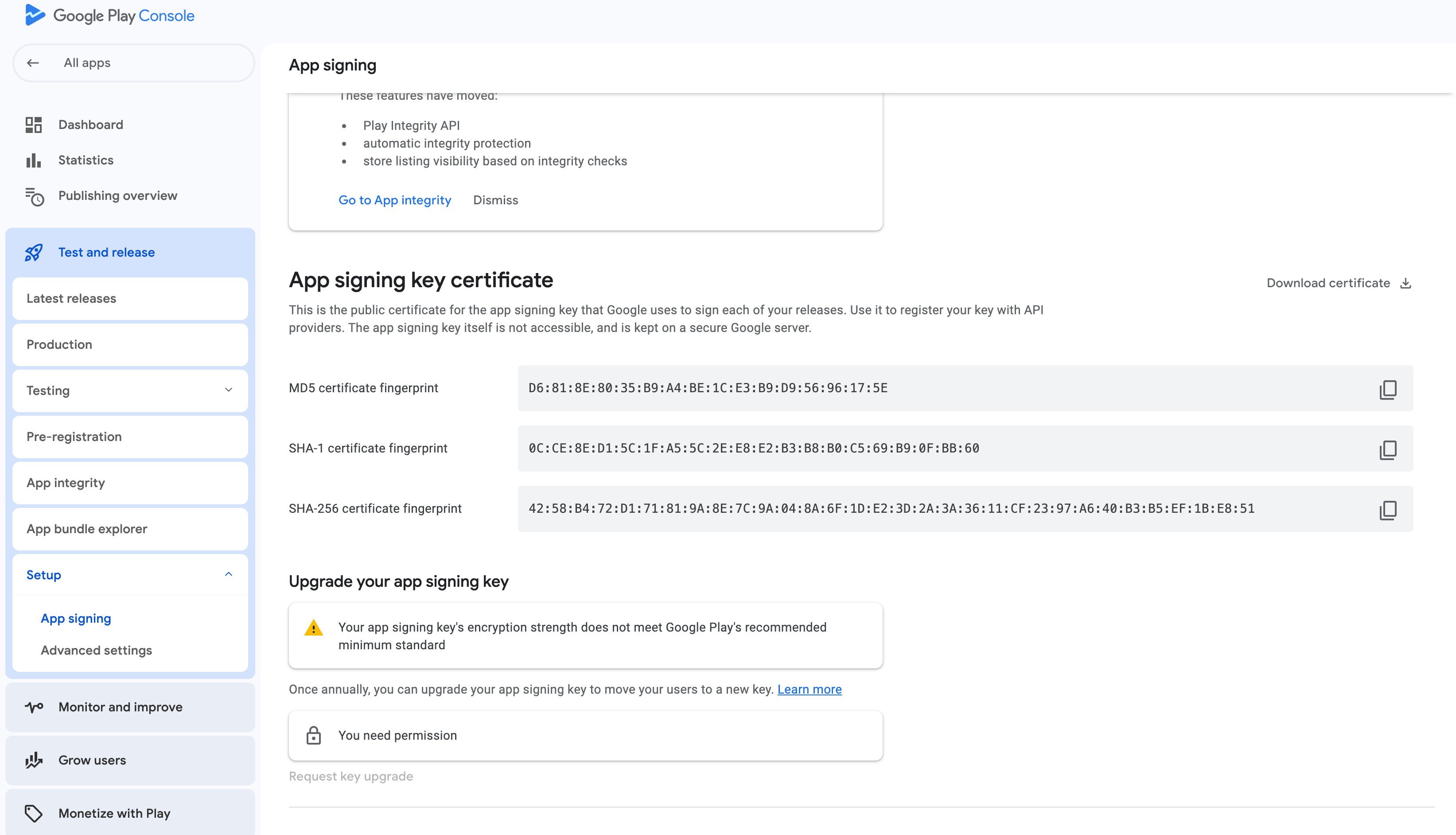
It should look something like this :
EA:A1:69:AA:2F:FC:6D:16:84:ED:06:11:E0:65:2B:E0:BB:9C:5B:E3:41:96:06:E2:3D:85:8F:2C:22:2A:E9:86
iOS
App Attest
For iOS builds, you must have App Attest enabled on your provisioning profile. The Earn SDK backend uses App Attest to validate the integrity of your game. Without it, attestation checks will fail. To enable App Attest:1
Sign in to your Apple Developer account
2
Navigate to Certificates, Identifiers & Profiles
3
Select your App ID under Identifiers
4
Scroll to the App Attest capability and enable it
5
Save your changes and regenerate your provisioning profile
Bundle ID & Team ID
For iOS we need your Bundle ID i.e.app id, e.g.com.domain.appname and your Team ID.
To find your app’s Team ID for Apple Developer:
1
Access Apple Developer Account
Sign in to your Apple Developer account
2
Click on Membershipt details
3
Select and copy Team ID